
BlastShield is a zero-trust network access solution that helps organizations implement a zero-trust architecture.
Instead of relying on enhanced identity governance (EIG), complex layers of micro-segmentation, or cloud-based gateways, BlastShield utilizes a software-defined perimeter (SDP) approach for more granular access controls and reduced risk from stolen credentials and complex management.
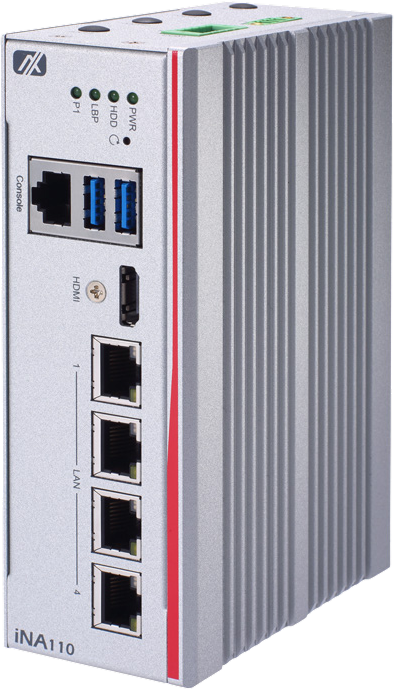
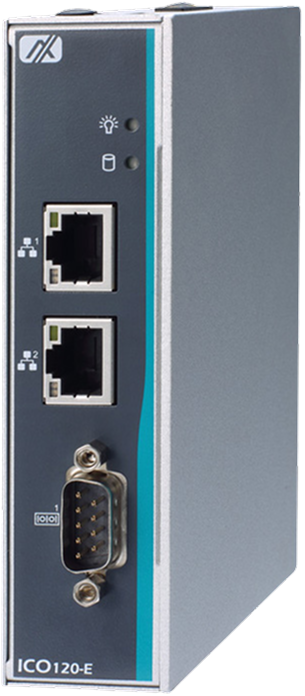
Start a free trialThe BlastShield Security Gateway is a hardware-independent software package that can be installed in a VM or container, or purchased as a pre-installed appliance from our partners (see the bottom section of the page for appliances). It delivers Network Cloaking, terminates Secure Remote Access connections, and uses software-defined segmentation to secure OT networks.
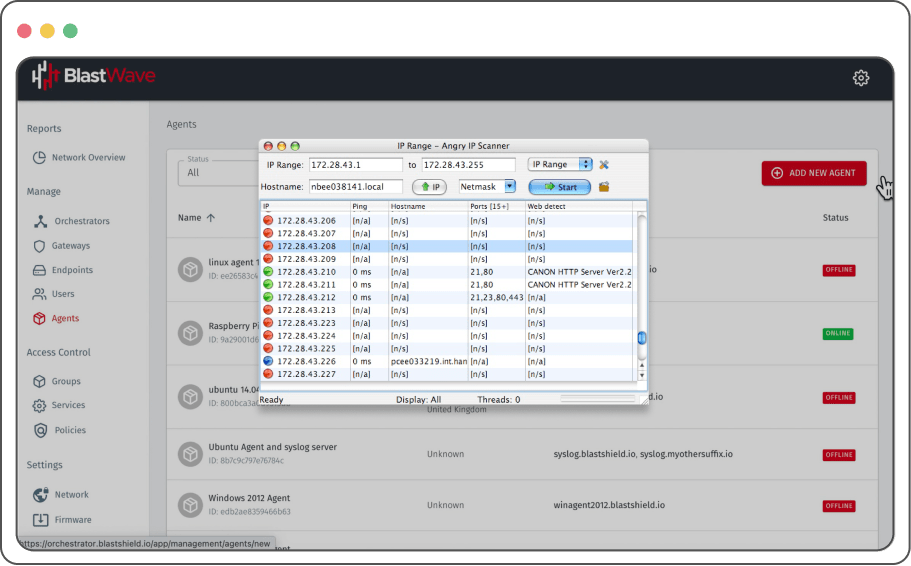
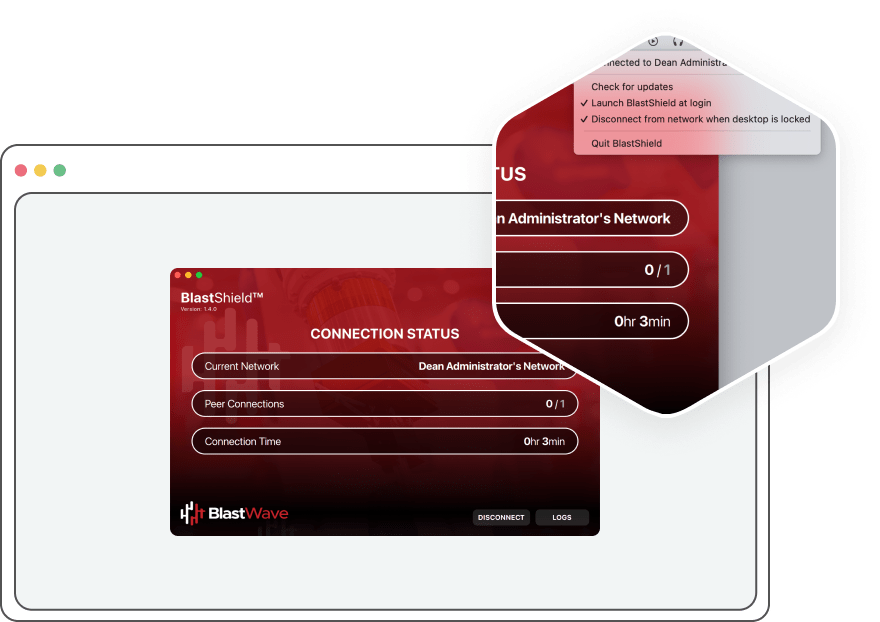
Our Zero Trust client for OT networks is designed to integrate seamlessly into your existing operations without disrupting them. No more clunky interfaces, web browser limitations, or frustrating roadblocks. Our Client empowers your team to work the way they always have, with the added confidence that a robust Zero Trust framework shields your critical infrastructure. Windows, Mac, and Linux are supported. As of BlastShield 2.0, the Client shows each user the systems they are authorized to reach, and it runs on iPhone, iPad, and Android phones and tablets for BlastAccess sessions.
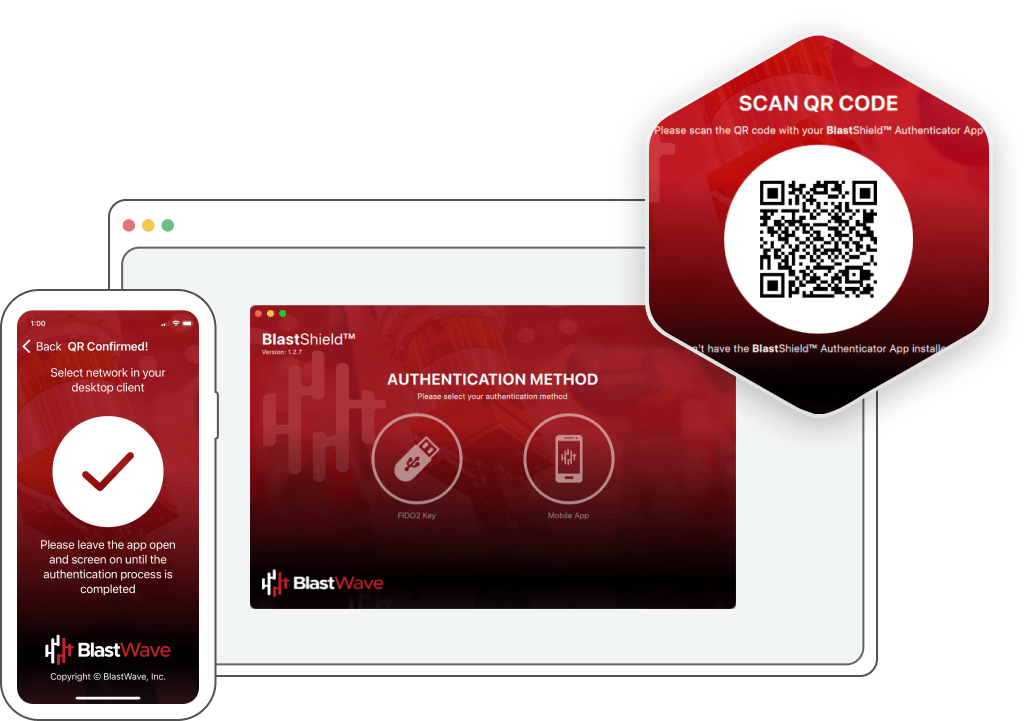
Our passwordless authenticator puts the power of biometrics and your mobile device directly into your hands. It's security that's as natural as unlocking your phone. We understand the frustration of constantly changing passwords and the vulnerability of those easily stolen credentials. Authentication is performed by combining a QR code challenge-response with localized biometric authentication and the device keystore to prevent credential theft and AI-powered attacks, requiring a human-in-the-loop. IOS and Android are supported.
If your business requires tightly managed remote desktop connectivity with session recording for remote access, BlastAccess delivers this functionality with high performance. Leveraging the same phishing-resistant authentication protection as the BlastShield client, BlastAccess eliminates the weaknesses of PAM and web-based RDP solutions by removing open ports and preventing browser hijacking and password theft. Session recording streams desktop activity to a storage system, providing security, forensics, and audit logging for all remote maintenance activities.
Our lightweight Agent protects servers: only a verified BlastShield Client can connect. As of BlastShield 2.0, the Agent also cloaks its host, so unauthenticated packets are silently dropped and a scanner cannot tell the host from empty address space. It can also restrict the host to accept inbound traffic only over BlastShield. The Agent is optional and is used where integration with IT systems is needed. Windows, Mac, and Linux are supported.
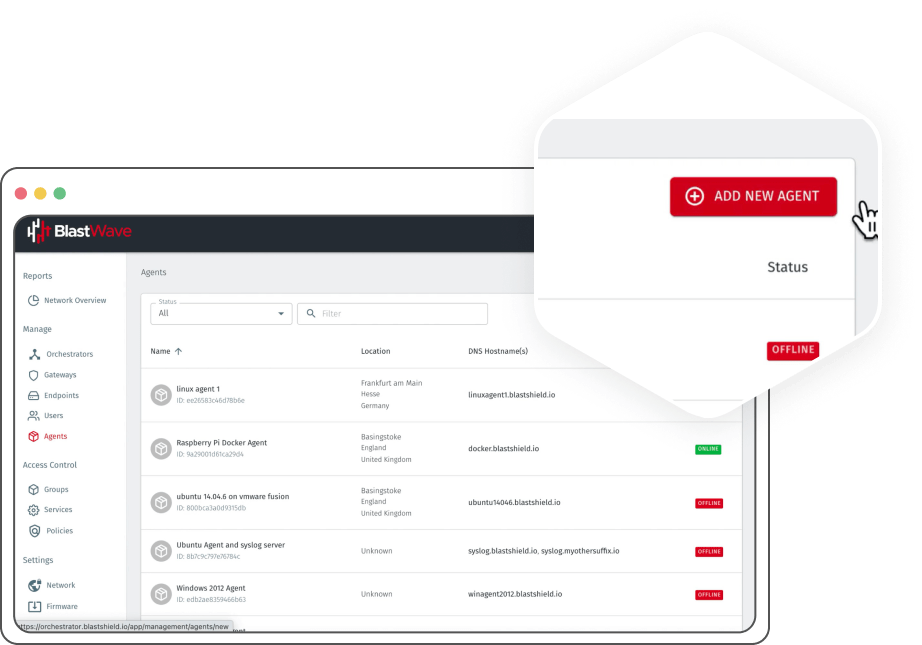
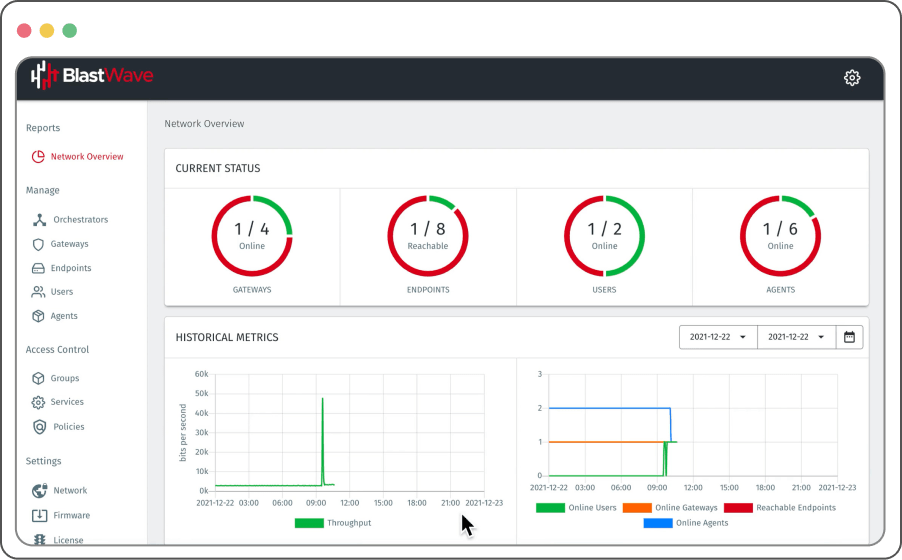
Our Orchestrator is the conductor of your Zero Trust orchestra, ensuring seamless, real-time policy enforcement across your entire network. No more static, cumbersome rule sets. Our Orchestrator dynamically adapts to your evolving needs, connecting everything with the right policies in real-time. The Orchestrator can be deployed on-premises or in the cloud, depending on the organization's business needs. As of BlastShield 2.0, policies set in the Orchestrator can require that a device meets a defined security posture. Enrollment can be set to accept all devices, require administrator approval, or accept only devices that match a posture. Administrators can also require post-quantum key exchange for the network.
.svg)

Protected assets do not respond to unauthorized scans. Unauthenticated packets are silently dropped, so reconnaissance returns nothing.
Learn More
Replaces VPN entirely. No inbound open ports, no concentrator, and no broad network placement.
Learn More
The network is divided into isolated segments to prevent lateral movement and contain the impact of breaches.
Learn More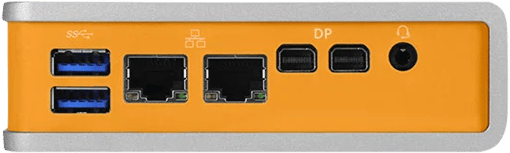
American Water’s cyber incident shows why water utilities need stronger OT isolation to stop IT breaches from threatening critical infrastructure operations and availability.
Explore the complete analysis of 23 OT attacks that defeated firewalls, VPNs, and air gaps.
BlastShield is BlastWave’s Zero Trust network access solution for OT environments. It uses a software-defined perimeter approach to help organizations reduce risk from stolen credentials, simplify access control, cloak critical systems, secure remote access, and segment OT networks.
See what's new in BlastShield 2.0
BlastShield helps stop OT attacks before they start by requiring authentication and authorization before users or devices can access protected systems. It combines network cloaking, phishing-resistant access, secure remote connectivity, and software-defined segmentation to reduce exposure and limit lateral movement.
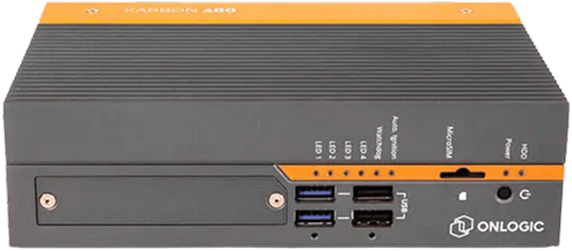
The BlastShield Security Gateway is a hardware-independent software package that can be installed in a VM, container, or pre-installed appliance. It delivers network cloaking, terminates secure remote access connections, and uses software-defined segmentation to secure OT networks.
The BlastShield Client is a Zero Trust client for secure OT connectivity. It supports Windows, Mac, and Linux, allowing authorized users to connect securely to approved OT systems without disrupting existing operations. As of BlastShield 2.0, it also runs on iPhone, iPad, and Android phones and tablets for BlastAccess sessions, and it shows each user the systems they are authorized to reach.
The BlastShield Authenticator provides passwordless authentication using a QR code challenge-response, localized biometric authentication, and the device keystore. It is designed to prevent credential theft, phishing, and AI-powered attacks while keeping a human in the loop.
BlastAccess is BlastWave’s secure remote desktop connectivity solution. It provides high-performance remote access with session recording, while removing open ports and reducing risks from browser hijacking, password theft, PAM weaknesses, and web-based RDP exposure.
The BlastShield Agent helps secure servers by requiring a verified BlastShield Client before a connection can be made. It supports Windows, Mac, and Linux and helps turn protected servers into Zero Trust-controlled assets. As of BlastShield 2.0, the Agent cloaks its host and can restrict it to accept inbound traffic only over BlastShield. The Agent is optional and is used where integration with IT systems is needed.
The BlastShield Orchestrator manages real-time policy enforcement across the network. It can be deployed on-premises or in the cloud and helps ensure users and devices connect only to the systems they are authorized to access. As of BlastShield 2.0, it also sets the security posture a device must meet before a policy applies.
BlastShield supports network cloaking by requiring users and devices to authenticate and authorize before access is granted. This helps make protected systems non-discoverable to unauthorized users and reduces the value of reconnaissance.
BlastShield supports OT network segmentation through software-defined access controls that divide the network into isolated segments. This limits lateral movement and helps contain the impact of a breach.
BlastShield helps OT teams move from exposed, flat, password-dependent networks to a Zero Trust architecture built around network cloaking, phishing-resistant authentication, secure remote access, and software-defined segmentation.
Start by identifying the HMIs, PLCs, RTUs, engineering workstations, servers, remote access paths, and vendor connections that need stronger access control. Focus first on systems that are visible, business-critical, difficult to patch, or exposed to remote users.
Install the BlastShield Security Gateway as a VM, container, or certified appliance. The gateway provides network cloaking, terminates secure remote access connections, and enforces software-defined segmentation for protected OT systems.
Install the BlastShield Client on approved user devices. This allows authorized personnel to connect securely to the specific OT resources they need while avoiding broad network exposure and unnecessary lateral access.
Use the BlastShield Authenticator to replace password-based access with phishing-resistant authentication. QR code challenge-response, localized biometrics, and device keystore protection help prevent credential theft and AI-powered phishing attacks.
For remote maintenance workflows, use BlastAccess to provide controlled remote desktop connectivity with session recording. This gives teams secure access while supporting forensics, audit logging, and remote maintenance oversight.
Install the BlastShield Agent on supported servers so only verified BlastShield clients can connect. This helps protect critical systems from unauthorized access and reduces the risk of exposed services becoming attack paths.
Configure the BlastShield Orchestrator to manage access policies in real time. Define which users, devices, and groups can reach specific systems, and keep access aligned with operational needs.
Use BlastShield’s software-defined segmentation to isolate critical systems and reduce the blast radius of a breach. Users should receive least-privilege access only to the systems they are authorized to use.
After deployment, test whether unauthorized users, scanners, or tools can still discover or reach protected OT systems. The goal is to confirm that critical infrastructure is cloaked, segmented, and accessible only through authorized BlastShield workflows.
BlastWave positions getting started with BlastShield as easy and free: create a free trial account, download the BlastShield Authenticator and Client, and make a host invisible in minutes.
Getting started with BlastShield is easy and free. Follow the three steps below and get up and running fast.
%20(1).svg)
Create a Free Trial
Account
.svg)
Download the BlastShield Authenticator & Client
.svg)
Make Your Host Invisible
In Minutes
.svg)


Privacy Policy | Cookie Policy | © 2026 BlastWave, Inc. All Rights Reserved
This website uses cookies to ensure you get the best experience. More Info
.svg)